
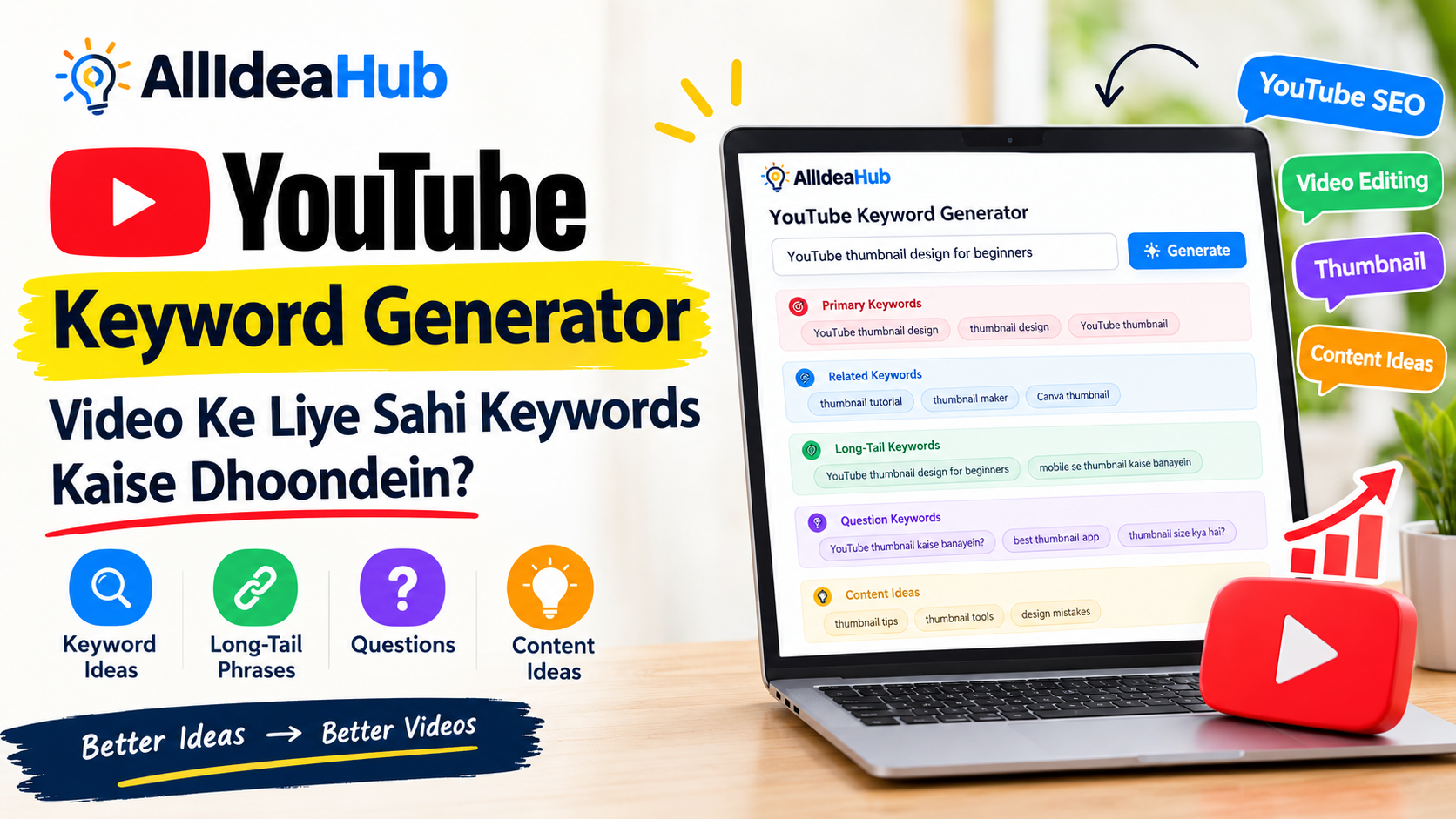
YouTube par video upload karne se pehle ek important sawaal hota hai—video kis topic par banayein aur log us topic ko kis tarah search karte hain?Keyword Generator
Agar aapne kabhi YouTube channel start kiya hai, to aap jaante honge ki video idea milna alag baat hai aur us idea ko sahi words mein describe karna alag. Kabhi topic achha hota hai, lekin title clear nahi hota. Kabhi title theek hota hai, lekin creator aise keywords use kar deta hai jo video ke actual content se match nahi karte.
Isi problem ko thoda simple banane ke liye AllIdeaHub YouTube Keyword Generator available hai. Yeh tool aapke topic ke around keyword ideas, long-tail phrases, questions aur content ideas dikhane mein help karta hai. Iska use beginners ke saath-saath regular creators bhi kar sakte hain.
Lekin ek baat pehle clear karna zaruri hai: keyword generator koi magic tool nahi hai jo automatically video ko viral kar de. Yeh research aur content planning mein help karta hai. Video ka actual result topic, content quality, thumbnail, audience aur viewer response jaise factors par depend karta hai.
YouTube Keyword Generator Kya Hota Hai?
YouTube Keyword Generator ek aisa tool hota hai jo aapke video topic se related words aur phrases suggest karta hai.
Maan lijiye aap “YouTube Shorts editing” par video banana chahte hain. Tool aapko is topic se jude ideas de sakta hai, jaise:
- YouTube Shorts editing tutorial
- Mobile se Shorts edit kaise karein
- Beginners ke liye Shorts editing
- YouTube Shorts editing app
- Shorts video editing tips
In suggestions ka matlab yeh nahi hai ki aapko sabhi phrases apne title mein bhar dene chahiye. Inka main purpose yeh samajhna hai ki aap apne video ko kis angle se present kar sakte hain.
Ek simple example dekhiye.
“YouTube thumbnail” ek broad topic hai. Is topic par bahut saare videos ban sakte hain. Lekin “Mobile se YouTube thumbnail kaise banayein” ek zyada clear video idea ban jata hai. Viewer ko bhi samajh aata hai ki video mein usse kis problem ka solution milega.
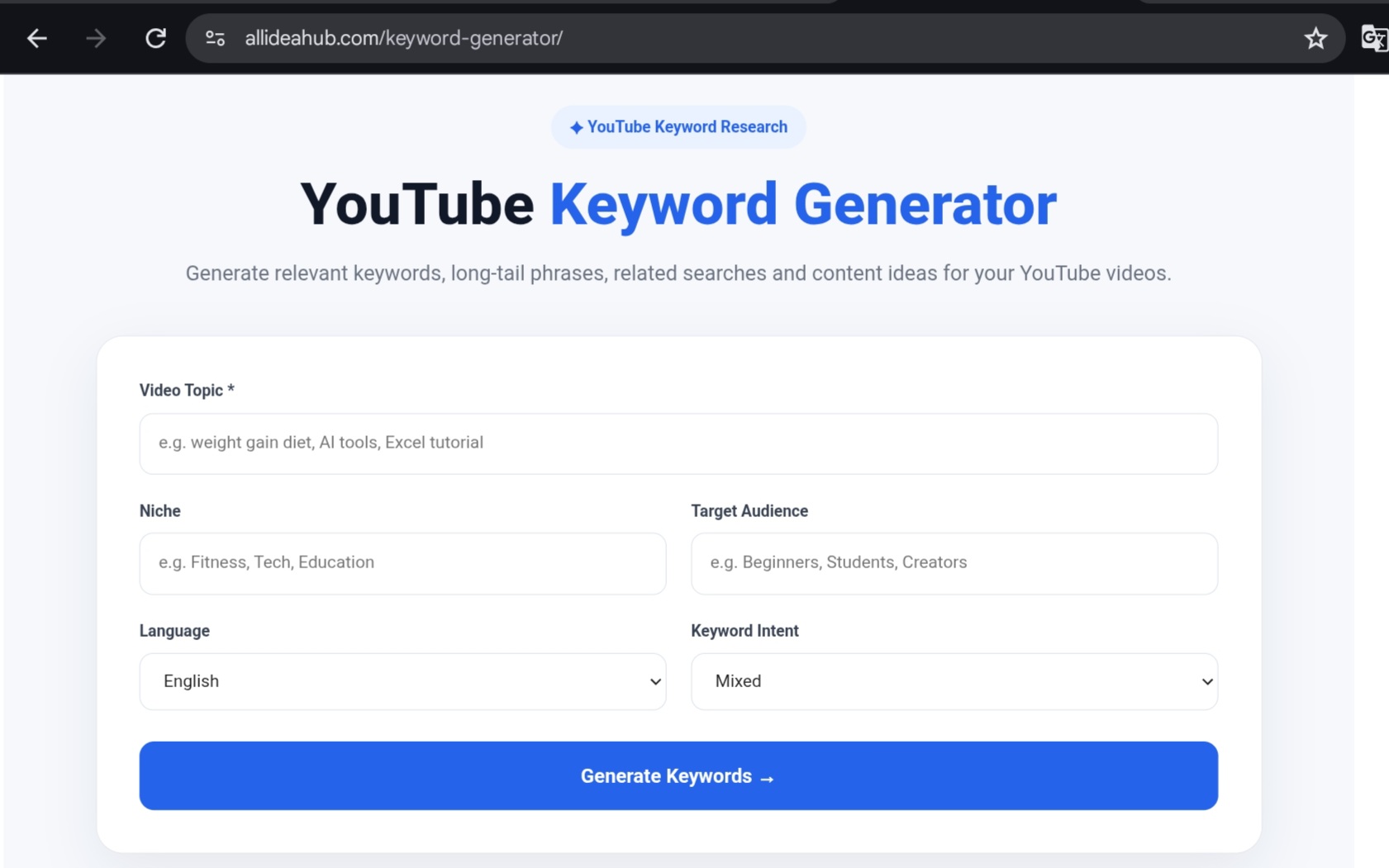
AllIdeaHub Keyword Generator Mein Kya Milta Hai?
AllIdeaHub ke Keyword Generator mein topic enter karne ke baad alag-alag type ke keyword ideas mil sakte hain. Results ko different sections mein divide kiya gaya hai, jisse list ko samajhna easier ho.Keyword Generator
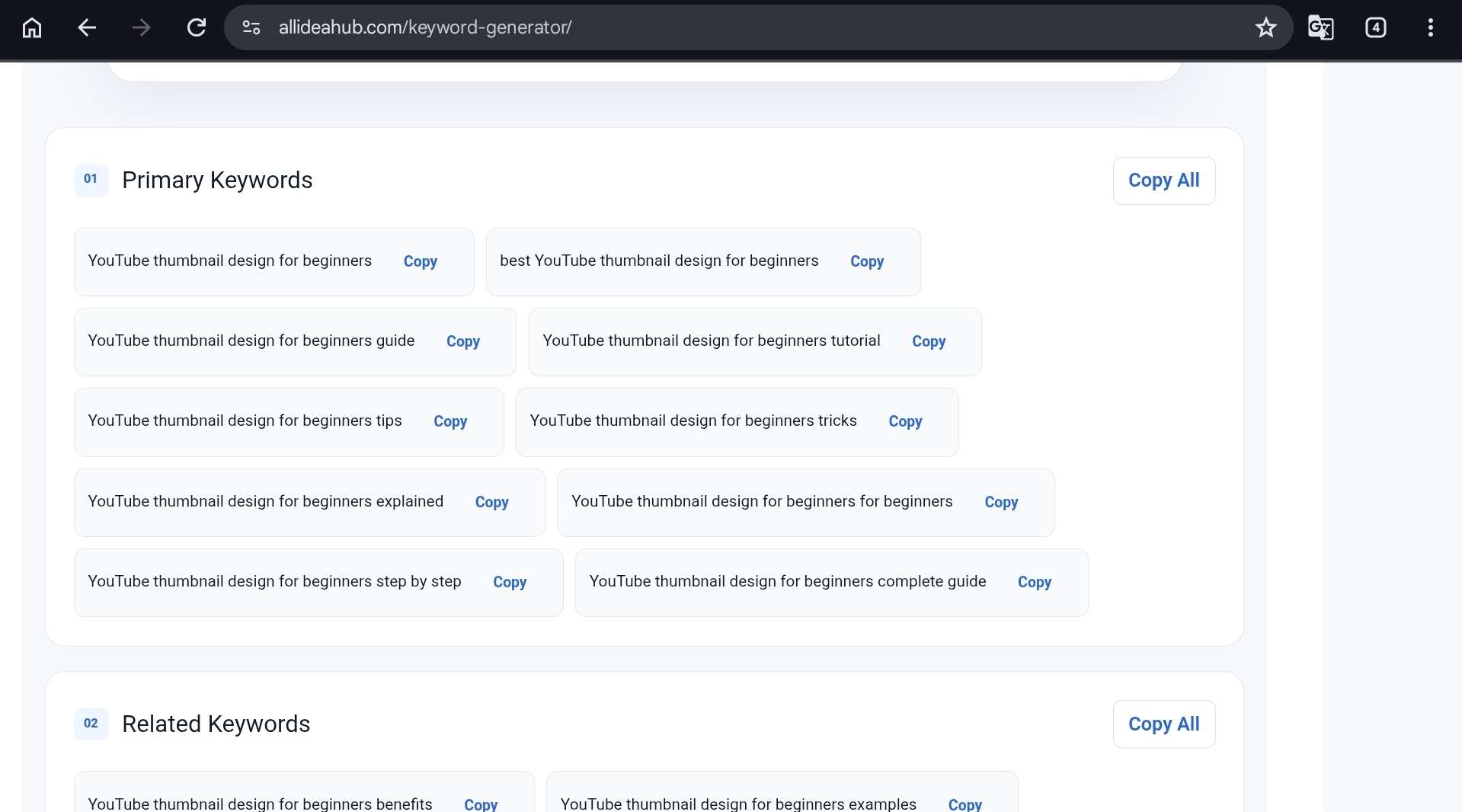
Primary Keywords
Primary keywords aapke main topic se directly related phrases hote hain.
Agar aapka topic “YouTube SEO” hai, to primary keyword isi subject ke around hoga.
Related Keywords
Related keywords main topic se connected phrases hote hain, lekin unki wording exactly same hona zaruri nahi hai.
Yeh keywords video description, outline aur related content ideas banane mein useful ho sakte hain.
Long-Tail Keywords
Long-tail keywords thode specific aur relatively long phrases hote hain.
Example:
“Hindi YouTube channel ke liye keyword research kaise karein”
Aise phrases se video ka exact angle samajhne mein help mil sakti hai.
Question Keywords
Question keywords woh phrases hote hain jo viewer sawaal ki form mein search kar sakta hai.
For example:
- YouTube keyword research kaise karein?
- YouTube SEO kya hai?
- YouTube thumbnail kaise banayein?
Inse tutorial, FAQ aur problem-solving videos ke ideas mil sakte hain.
Keyword Content Ideas
Kabhi-kabhi keyword se zyada useful uska content angle hota hai.
Content ideas section ek hi topic par different videos sochne mein help kar sakta hai.
Tool mein keyword opportunity ka estimate bhi dikhaya ja sakta hai. Is score ko actual YouTube ranking score nahi samajhna chahiye. Yeh ek estimate hai, ranking guarantee nahi.
AllIdeaHub Keyword Generator Kaise Use Karein?
Tool use karna complicated nahi hai. Ise ek simple example se samajhte hain.
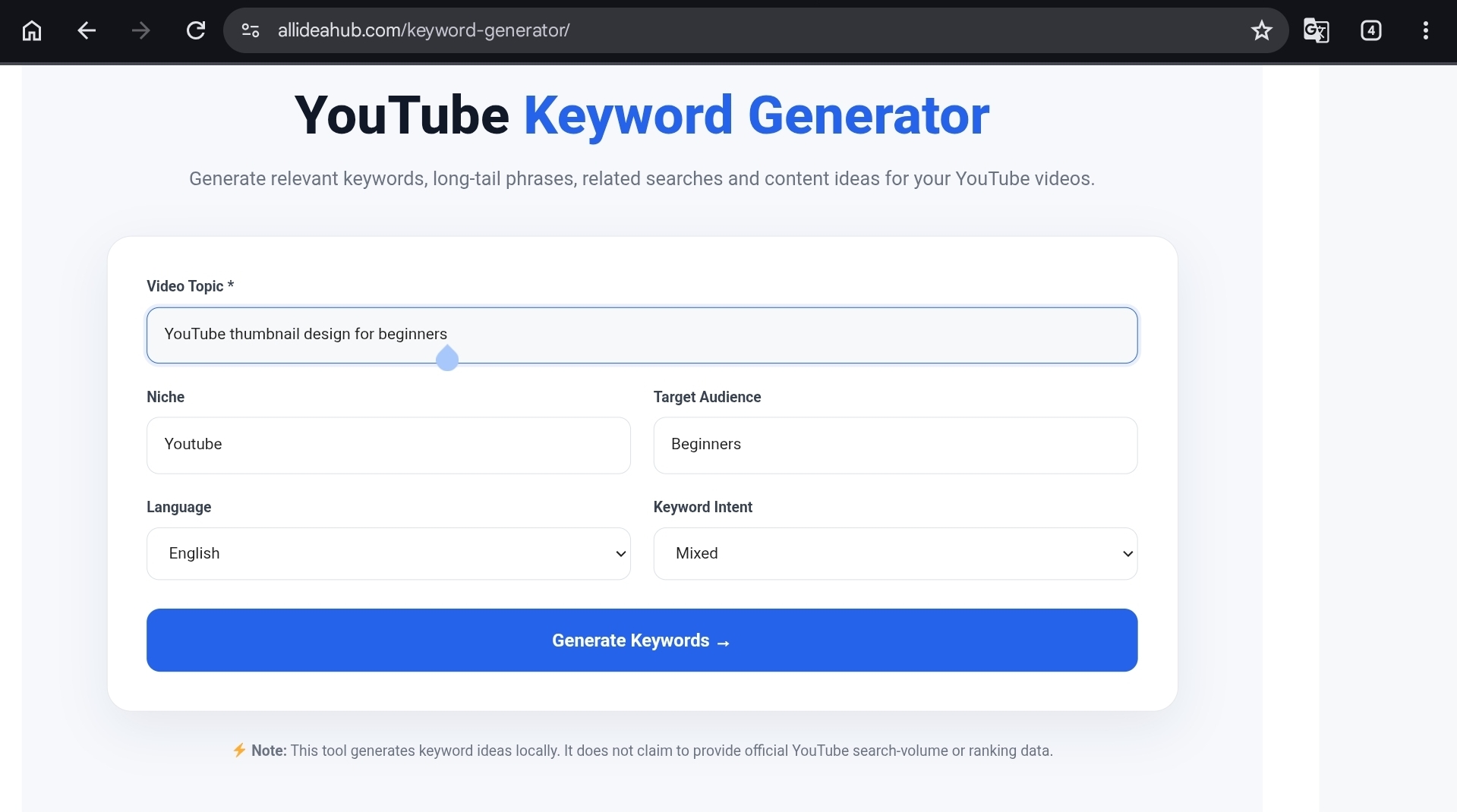
Maan lijiye aap beginners ke liye YouTube thumbnail design par video banana chahte hain.
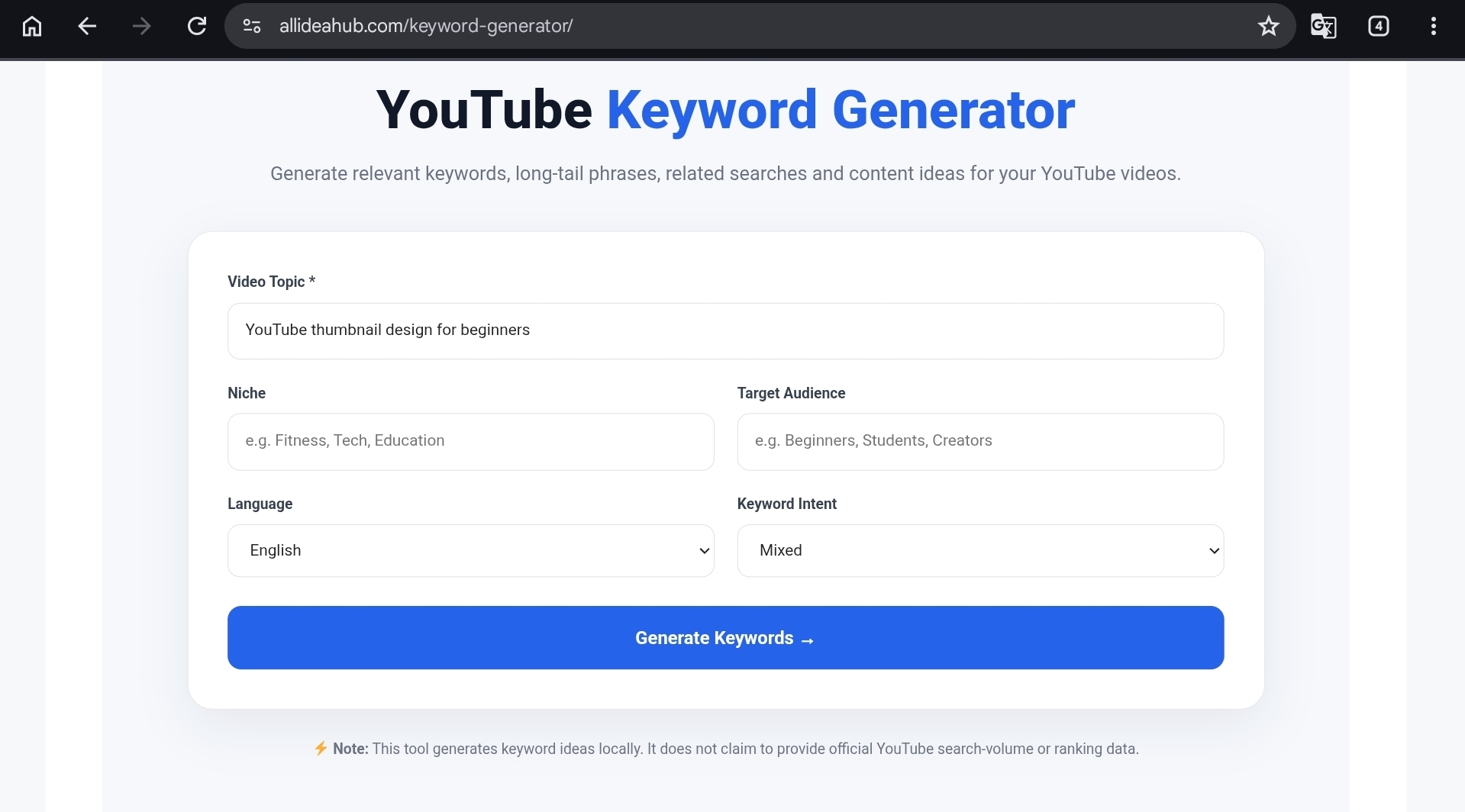
Step 1: Main Topic Likhein
Video Topic field mein simple aur clear topic enter karein:
YouTube thumbnail design for beginners Keyword Generator
Topic ko bahut broad na rakhein. Sirf “YouTube” likhne par suggestions kaafi general ho sakti hain.
Topic jitna clear hoga, generated ideas ko filter karna utna easy rahega.
Step 2: Apni Niche Choose Karein
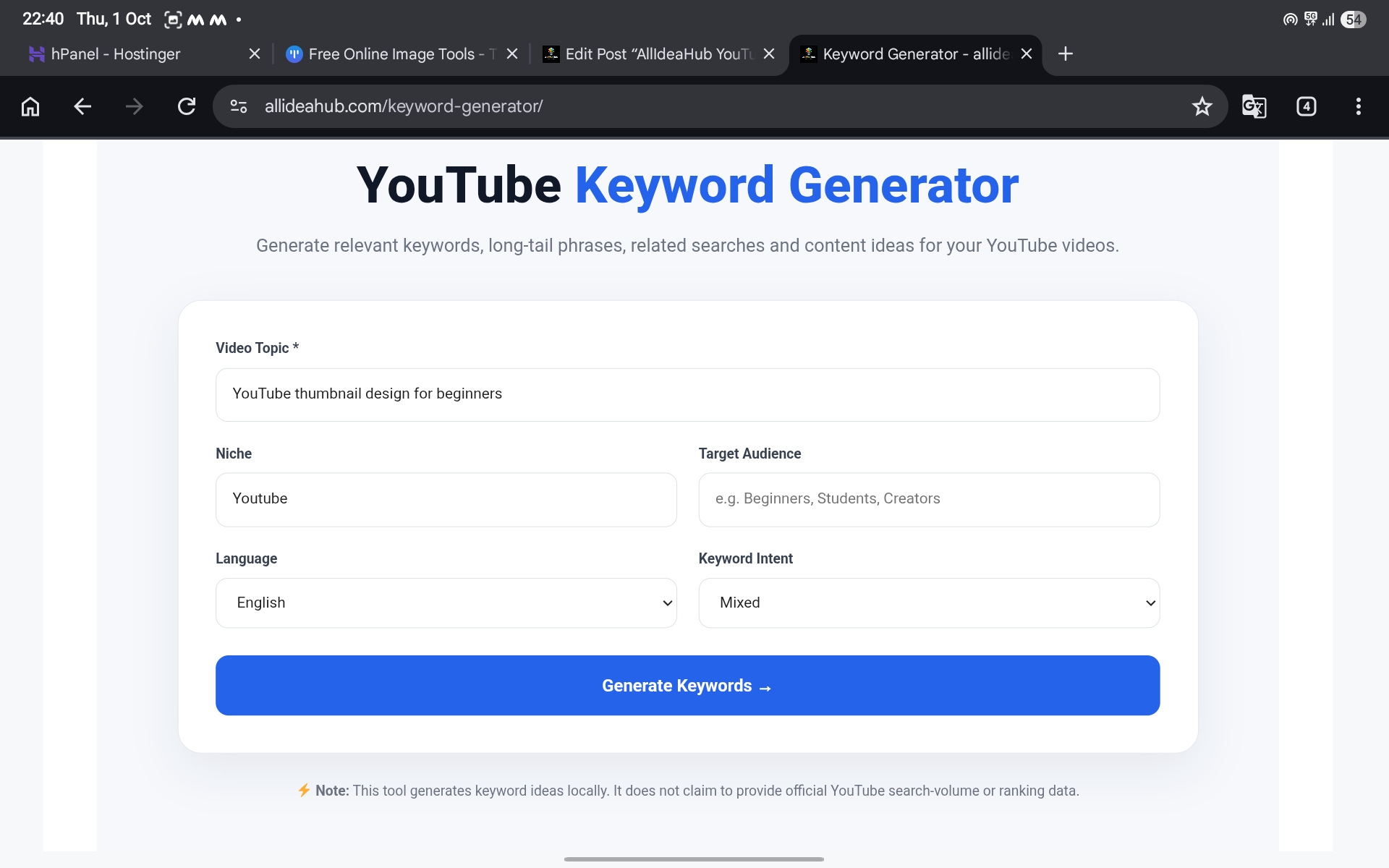
Agar niche select karne ka option available ho, to apni category ke closest niche ko choose karein.
Aapka content YouTube, education, blogging, AI tools, gaming ya kisi doosri category se related ho sakta hai.
Niche select karne ka purpose suggestions ko apne audience ke perspective se dekhna hai. Yeh koi ranking setting nahi hai.Keyword Generator
Step 3: Target Audience Select Karein
Sochiye ki aapka video kiske liye hai.
Audience ho sakti hai:
- Beginners
- Students
- Content creators
- Freelancers
- Small business owners
Audience change hone par keyword wording bhi change ho sakti hai.
Beginners ke liye “kaise banayein” aur “step by step” jaise phrases useful ho sakte hain.
Advanced audience ke liye “design workflow” ya “CTR improvement” jaise angles zyada relevant ho sakte hain.
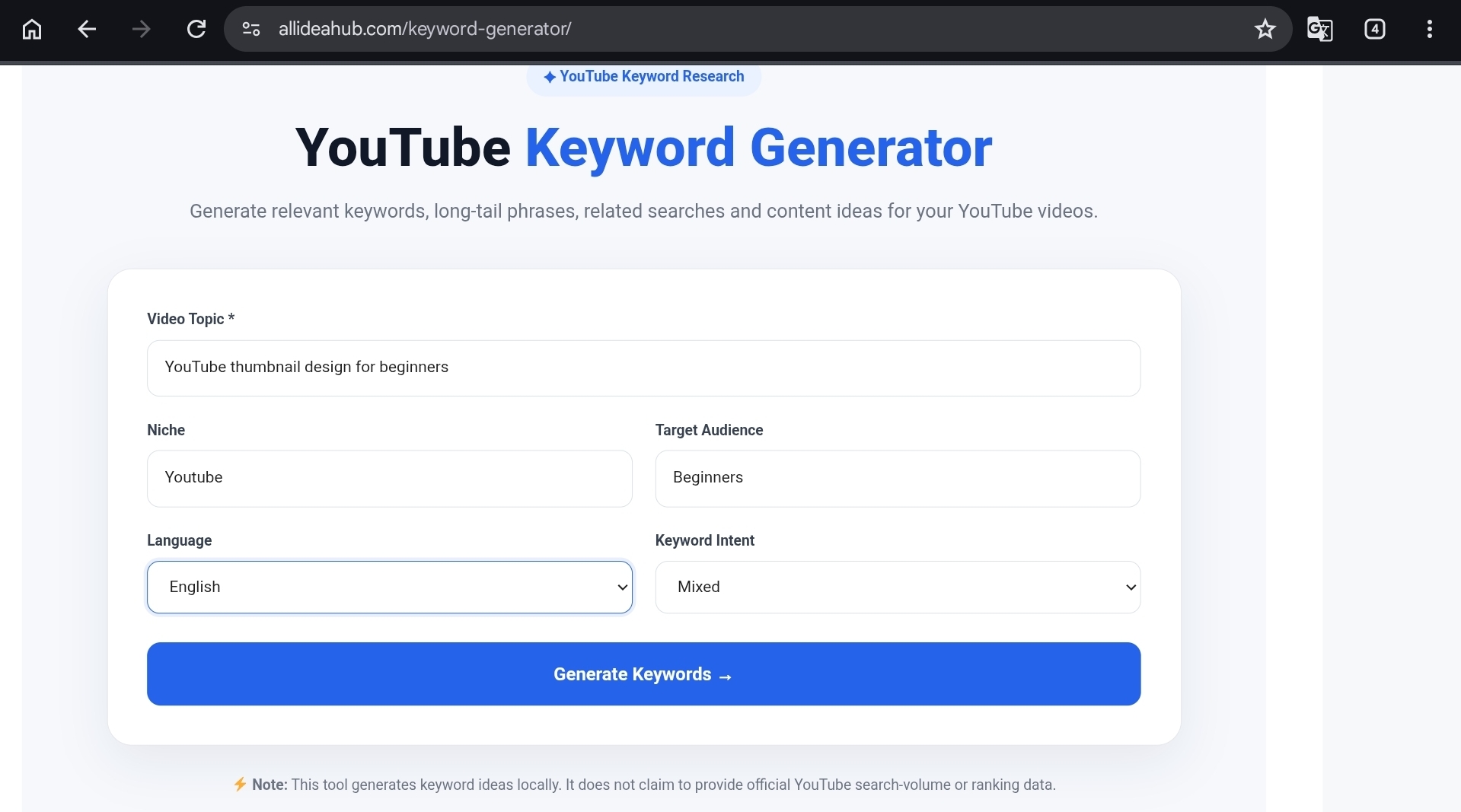
Step 4: Language Choose Karein
AllIdeaHub tool mein Hindi, Hinglish aur English ke saath kai language options available hain.
Apne channel ki actual audience ke according language choose karein.
Agar aapka channel Hindi audience ke liye hai, to Hinglish phrases bhi try kiye ja sakte hain. Har creator ke liye English keywords use karna zaruri nahi hai.
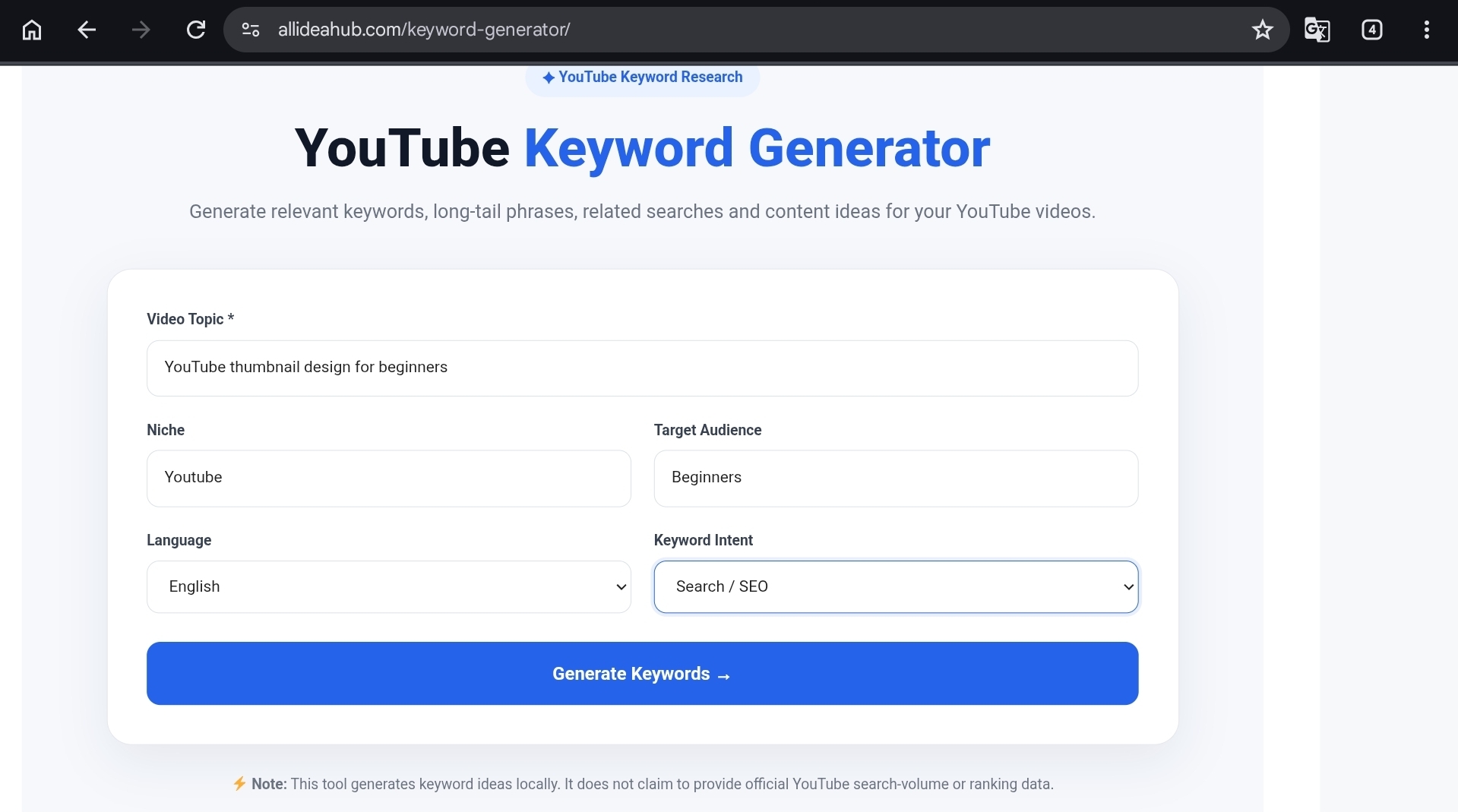
Step 5: Keyword Intent Select Karein
Tool mein different intent options mil sakte hain, jaise:
- Mixed
- Search/SEO
- How To
- Informational
- Commercial
- Curiosity
Agar aap tutorial bana rahe hain, to How To useful choice ho sakti hai.
Basic explanation ke liye Informational choose kiya ja sakta hai.
Agar aap kisi tool ya product ka review kar rahe hain, to Commercial ya related intent explore kiya ja sakta hai.
Step 6: Suggestions Ko Dhyan Se Padhein
Generate button press karne ke baad jo keyword list mile, usme se har phrase copy karna zaruri nahi hai.
Pehle suggestions ko read karein aur sirf un ideas ko shortlist karein jo aapke actual video se match karte hain.
Generated Keywords Mein Se Sahi Keyword Kaise Chunein?
Yeh keyword research ka sabse important part hai.Keyword Generator
Tool suggestions generate kar sakta hai, lekin final keyword selection aapko apne content ke according karna hota hai.
Har keyword ke baare mein yeh chaar questions poochhein:
- Kya mera video is topic ko sach mein cover karega?
- Kya meri audience is tarah search kar sakti hai?
- Kya is phrase se clear title ban sakta hai?
- Kya viewer ko title padhkar wahi information video mein milegi?
Maan lijiye aap “Mobile se YouTube thumbnail kaise banayein” par video bana rahe hain.
Is video mein “YouTube se paise kaise kamayein” keyword add karna relevant nahi hoga, chahe woh popular hi kyon na ho. Dono topics alag hain.
Isliye relevant keywords ki chhoti list, unrelated keywords ki lambi list se better hoti hai.
Broad Keyword Aur Long-Tail Keyword Mein Difference
Broad keyword relatively general hota hai.
Examples:
- YouTube SEO
- Video editing
- AI tools
- YouTube thumbnail
In topics ko search karne wale users bahut ho sakte hain, lekin competition bhi high ho sakta hai. New creators ke liye broad topic ko target karke highly specific video banana kabhi-kabhi difficult ho sakta hai.
Long-tail keyword zyada specific hota hai.
Examples:
- YouTube SEO for beginners in Hindi
- Mobile se YouTube video edit kaise karein
- Free AI tools for YouTube creators
- Canva se YouTube thumbnail kaise banayein
Long-tail phrase mein viewer ka purpose relatively clear hota hai.Keyword Generator
Agar aapka channel naya hai, to specific problems aur questions par videos banana content planning ke liye practical starting point ho sakta hai.
Keyword Se Video Idea Kaise Nikalein?
Keyword research ka use sirf title likhne ke liye mat kijiye.
Isse aap future content ideas bhi bana sakte hain.
Maan lijiye tool se aapko yeh phrases milte hain:
- YouTube description kaise likhein
- YouTube description mein keywords kaise add karein
- YouTube description example Hindi
In teen keywords par alag-alag videos banana zaruri nahi hai.
Aap ek complete guide bana sakte hain jisme:
- Description format
- Keywords ka natural use
- Practical example
teenon cover kiye ja sakte hain.
Isi tarah:
- YouTube thumbnail size
- Thumbnail text ideas
- Mobile thumbnail design
ko ek related content series mein convert kiya ja sakta hai.
Isse channel par connected videos ka group develop karne mein help mil sakti hai.
Search Intent Ko Ignore Mat Karein
Kabhi-kabhi do keywords dekhne mein similar hote hain, lekin unka purpose alag hota hai.
For example:
“YouTube SEO kya hai?”
Is query ko search karne wala viewer basic explanation chahta ho sakta hai.
“YouTube SEO kaise karein?”
Is query se viewer step-by-step process expect kar sakta hai.
“Best YouTube SEO tool”
Is query mein viewer different options ya tools ke baare mein information dekhna chahta ho sakta hai.
Isliye keyword select karte waqt search intent ko bhi samajhna important hai.
Agar title mein “kaise karein” likha hai, to video mein actual steps hone chahiye.
Agar title mein “review” likha hai, to features ke saath limitations aur practical observations bhi cover karna useful hota hai.Keyword Generator
Keywords Ko Title Mein Kaise Use Karein?
Title viewer ke liye likha jaana chahiye, sirf search engine ke liye nahi.
Keyword ko natural sentence ka part banaiye.
Weak Title
YouTube Keywords SEO Keyword Generator Best Keywords Tool
Is title mein keywords bahut zyada stacked hain aur viewer ko clear idea nahi milta ki video exactly kis problem ko solve karega.
Better Title
YouTube Keywords Kaise Dhoondein? Beginners Ke Liye Simple Method
Is title mein topic clear hai aur viewer ko video ka purpose bhi samajh aata hai.
Agar aapko title ke different versions chahiye, to AllIdeaHub Title Generator se ideas le sakte hain. Lekin generated title ko publish karne se pehle apne actual video ke saath compare zarur karein.
Description Mein Keywords Kaise Use Karein?
Description ki starting lines mein video ka clear summary likhein.Keyword Generator
Starting lines viewer ko video ke baare mein context dene mein help karti hain, isliye wahan natural language mein main topic explain karna useful hai.
Example:
“Is video mein beginners ke liye YouTube keyword research ka simple method samjhaya gaya hai. Aap primary keywords, long-tail phrases aur question-based keywords ko identify karna seekhenge.”
Is tarah main topic naturally description mein aa jata hai aur viewer ko video ka benefit bhi samajh aata hai.
Description mein keywords ki lambi list paste karne ki zarurat nahi hai.
Agar description ka first draft banana ho, to AllIdeaHub Description Generator ka use kiya ja sakta hai. Uske baad apne actual chapters, links aur relevant details add karein.
Kya Keyword Generator Search Volume Dikhata Hai?
AllIdeaHub Keyword Generator ka main purpose keyword ideas, related phrases, long-tail keywords, questions aur content angles provide karna hai.
Is tool ko official YouTube search-volume ya ranking data ka replacement nahi samajhna chahiye.
Exact search behaviour samajhne ke liye creators YouTube search suggestions, YouTube Analytics ke available research features, Google Trends ya Google Ads Keyword Planner jaise additional sources ko bhi dekh sakte hain.
Search volume ek useful signal ho sakta hai, lekin woh content decision ka only factor nahi hona chaiye.
Kabhi-kabhi relatively specific keyword aapki actual audience ke liye zyada useful ho sakta hai, especially jab woh kisi clear problem ko solve karta ho.
Kya Keyword Generator Views Guarantee Karta Hai?
Nahi.
Koi genuine keyword tool views, subscribers ya number-one ranking guarantee nahi kar sakta.
Video ke result par multiple factors effect kar sakte hain:
- Topic audience ke liye useful hai ya nahi
- Thumbnail viewer ko clear context de raha hai ya nahi
- Video ka opening part engaging hai ya nahi
- Content title mein kiye gaye promise ko deliver karta hai ya nahi
- Audience video ko kitni der dekhti hai
- Topic par competition kitna hai
- Channel ki existing audience kis type ki hai
Isliye keyword YouTube strategy ka sirf ek part hai, poori strategy nahi.
Hindi, Hinglish Ya English Mein Keyword Choose Karein?
Language choose karte waqt apne viewers ko dhyan mein rakhein.
Agar aapka content Hindi audience ke liye hai, to Roman Hindi aur Hinglish dono test kiye ja sakte hain.
Example:
Topic: YouTube thumbnail
- YouTube thumbnail kaise banayein
- Mobile se YouTube thumbnail kaise banaye
- How to make a YouTube thumbnail
- YouTube thumbnail design for beginners
Aap title English mein aur explanation Hindi mein bhi rakh sakte hain. Important baat yeh hai ki wording natural honi chahiye.
Sirf keyword include karne ke liye aise words add na karein jo aapki audience normally use nahi karti.
Common Mistakes Jo Avoid Karni Chahiye
1. Har Keyword Ko Title Mein Bhar Dena
Title readable rehna chahiye.
Ek relevant main keyword aur clear wording usually enough hoti hai. Title ko keyword list jaisa banane se viewer ke liye readability kam ho sakti hai.
2. Popular Lekin Unrelated Keyword Use Karna
Agar keyword video se related nahi hai, to use sirf traffic ke liye use nahi karna chahiye.
Isse viewer ko galat expectation mil sakti hai.
3. Generated List Ko Bina Review Kiye Copy Karna
Keyword tool suggestions deta hai. Final editing, relevance check aur fact-checking creator ki responsibility hoti hai.
4. Keyword Ko Description Mein Baar-Baar Repeat Karna
Description ko natural explanation ki tarah likhein.
Same keyword ko baar-baar repeat karne ke bajay viewer ko useful information dene par focus karein.
5. “Guaranteed Views” Ka Claim Karna
Keyword research ko planning aur research help ke roop mein explain karein.
Views, subscribers ya ranking ki guarantee dene se bachein.
6. Video Kuch Aur, Title Kuch Aur
Agar title mein “Complete Guide” likha hai, to video mein topic ko reasonably complete way mein cover karna chahiye.
Title aur content ka mismatch viewer experience ko negatively affect kar sakta hai.
Is Tool Ko Kaun Use Kar Sakta Hai?
AllIdeaHub YouTube Keyword Generator un creators ke liye useful ho sakta hai jo video banane se pehle apne topic ko organize karna chahte hain.
Beginners
Beginners ko basic keyword ideas, questions aur possible video angles mil sakte hain.
Regular Creators
Regular creators related topics aur future content ideas explore kar sakte hain.
Hindi Aur Hinglish Creators
Language options ki help se creators apni audience ke communication style ke close keyword ideas explore kar sakte hain.
Students, Freelancers Aur Small Businesses
Educational, informational ya product-related videos ke liye topic ideas explore karne mein tool useful ho sakta hai.
Agar aap client work ya business content par research kar rahe hain, to private ya confidential information kisi online tool mein enter karne se pehle uski privacy practices check karein.
Mera Practical Keyword Research Workflow
Agar mujhe kisi YouTube video ke liye keyword research karni ho, to main process ko unnecessarily complicated nahi rakhunga.
Step 1: Sabse pehle audience ka ek simple question identify karunga.
Step 2: Us question ko AllIdeaHub Keyword Generator mein enter karke related, long-tail aur question-based keywords dekhunga.
Step 3: Sirf un phrases ko shortlist karunga jo actual video mein cover kiye ja sakte hain.
Step 4: Ek primary keyword choose karke uske around natural title options banaunga.
Step 5: Zarurat padne par Title Generator se wording ideas lunga.
Step 6: Video description ka draft banaunga aur usmein actual information, chapters aur useful links add karunga.
Step 7: Video publish hone ke baad available Analytics data dekhunga.
Agar viewers kisi different search phrase ke through video tak pahunch rahe hain, to woh information future content planning mein useful ho sakti hai.
Quick Checklist
Video publish karne se pehle yeh checklist check kar lein:
- Kya keyword video ke actual topic se match karta hai?
- Kya title normal viewer ko easily samajh aa raha hai?
- Kya description ki starting lines useful hain?
- Kya unrelated keywords remove kar diye gaye hain?
- Kya video title ka promise deliver karta hai?
- Kya generated suggestions ko manually review kiya gaya hai?
- Kya tool ya keyword ke baare mein koi false guarantee nahi di gayi?
- Kya viewer ko useful next step ya resource mil raha hai?
Frequently Asked Questions
Kya AllIdeaHub YouTube Keyword Generator Free Hai?
Tool page ke according, current Keyword Generator keyword ideas generate karne ke liye free mein available hai.
Tools ke features time ke saath update ho sakte hain, isliye use karne se pehle current tool page par available features check karna useful rahega.
Kya Is Tool Ke Liye API Key Chahiye?
Current tool information ke according, keyword suggestions explore karne ke liye separate YouTube API key ki requirement mention nahi ki gayi hai.
Tool ke current implementation ya features future mein change ho sakte hain, isliye latest information ke liye tool page check karein.
Kya Har Generated Keyword Use Karna Chahiye?
Nahi.
Sirf wahi keywords choose karein jo aapke actual video se relevant hain.
Relevant phrases ki chhoti aur focused list unrelated keywords ki long list se better hoti hai.
Kya Long-Tail Keywords Useful Hote Hain?
Haan, agar woh aapke topic ko accurately describe karte hain.
Long-tail keywords viewer ke specific problem ya search intent ko samajhne mein help kar sakte hain.
Lekin kisi keyword se fixed views, ranking ya traffic guarantee nahi hota.
Kya Keyword Se Video Viral Ho Sakta Hai?
Keyword akela video ko viral nahi banata.
Topic, content quality, thumbnail, viewer retention, audience response aur competition jaise factors bhi important hote hain.
Kya Keyword Generator Sirf YouTubers Ke Liye Hai?
Iska main use YouTube video planning ke liye hai.
Lekin bloggers, educators, freelancers aur small businesses bhi related content ideas explore kar sakte hain. Output ko apne particular use case ke according edit karna zaruri hai.
Kya Generated Keywords Ko Description Mein Paste Kar Sakte Hain?
Keywords ko natural sentences mein use karein.
Sirf keywords ki long list description mein paste karne ke bajay video ke topic, useful information, chapters aur relevant links ko clearly explain karein.
Final Review
AllIdeaHub YouTube Keyword Generator ka main benefit yeh hai ki yeh blank-page problem ko thoda easy bana sakta hai.
Jab aapko topic pata ho, lekin us topic ke around video angles ya keyword ideas nahi mil rahe hon, tab primary keywords, related phrases, questions aur content ideas useful starting point de sakte hain.
Is tool ki ek useful limitation yeh hai ki ise official YouTube search-volume ya ranking data ka replacement nahi samajhna chahiye. Keyword opportunity score ko bhi actual ranking score nahi maana jana chahiye.
Isse creator ko tool ki capabilities ke baare mein realistic expectation milti hai.
Agar aap tool use kar rahe hain, to generated keyword list ko final answer na samjhein. Apni audience, language aur actual video ko saamne rakhkar phrases select karein.
Title natural rakhein, description mein useful information dein aur unrelated keywords se bachein.
Short Verdict
AllIdeaHub YouTube Keyword Generator beginners aur creators ke liye keyword ideas aur content planning ka useful starting point ho sakta hai.
Yeh views ya ranking ki guarantee nahi deta, lekin kisi topic ko better words aur different content angles ke saath plan karne mein help kar sakta hai.
References
- AllIdeaHub YouTube Keyword Generator
- YouTube official resources for video descriptions and keyword research
- AllIdeaHub About Us and editorial information
- AllIdeaHub Disclaimer
Note: YouTube ke search features, policies aur audience behaviour time ke saath change ho sakte hain. Article publish karne se pehle tool ke current features aur relevant official YouTube information ko check karna useful rahega.