
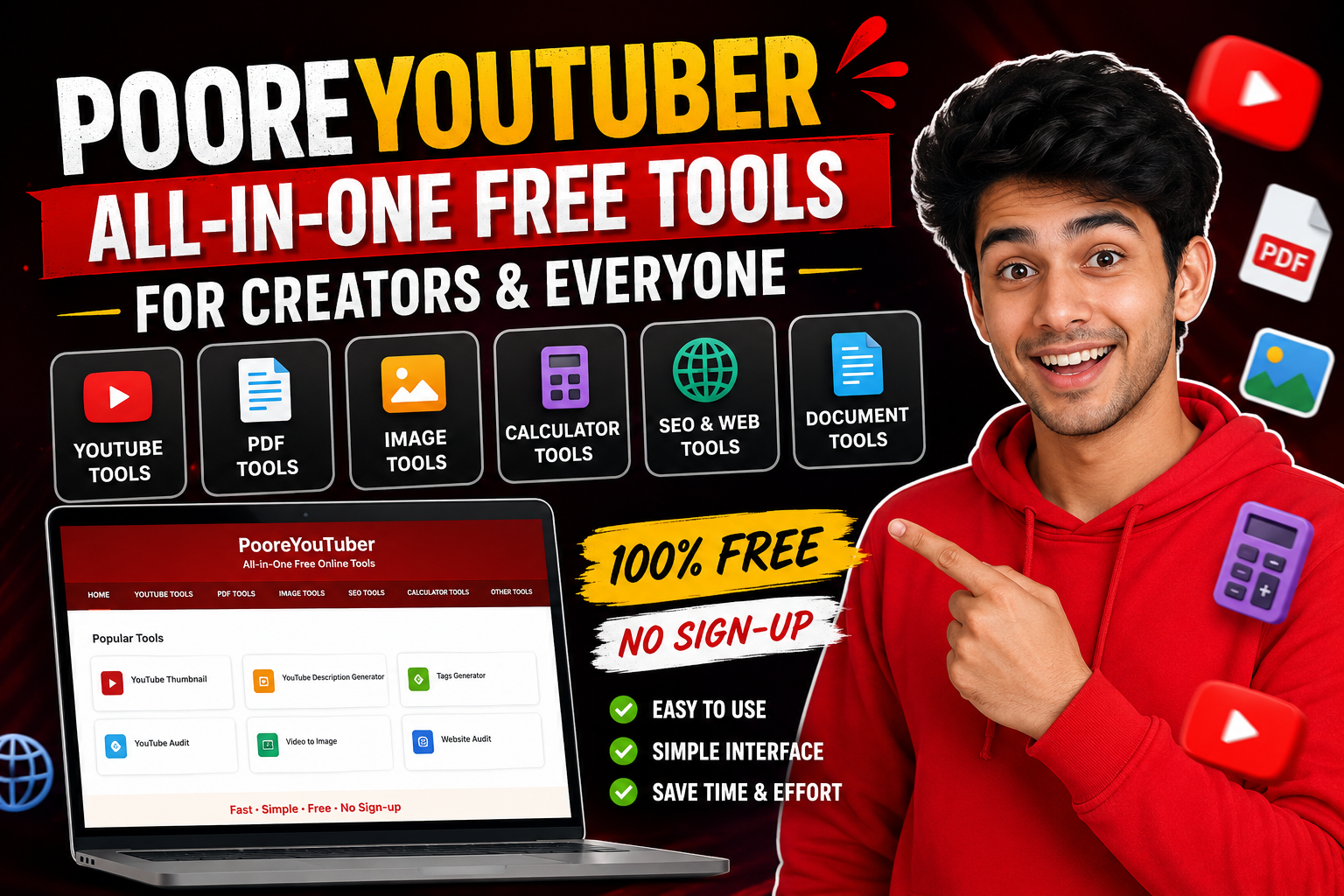
Aaj ke time mein YouTube aur social media par content banana sirf video upload karne tak limited nahi hai. Ek creator ko thumbnail banana hota hai, video ke liye title aur description sochna hota hai, tags research karne hote hain, channel ki performance check karni hoti hai aur kabhi-kabhi images, PDFs ya documents ke saath bhi kaam karna padta hai.
Problem ye hai ki in chhote-chhote kaamon ke liye alag-alag websites use karni padti hain. Isi problem ko simple banane ke liye PooreYouTuber ek collection of free online tools provide karta hai.
PooreYouTuber par YouTube creators ke liye tools ke saath image, PDF, SEO, calculator, document aur other utility tools bhi milte hain. Website ka main focus simple aur easily accessible online tools provide karna hai, jinke liye generally signup ya complicated setup ki zarurat nahi padti.
PooreYouTuber Kya Hai?
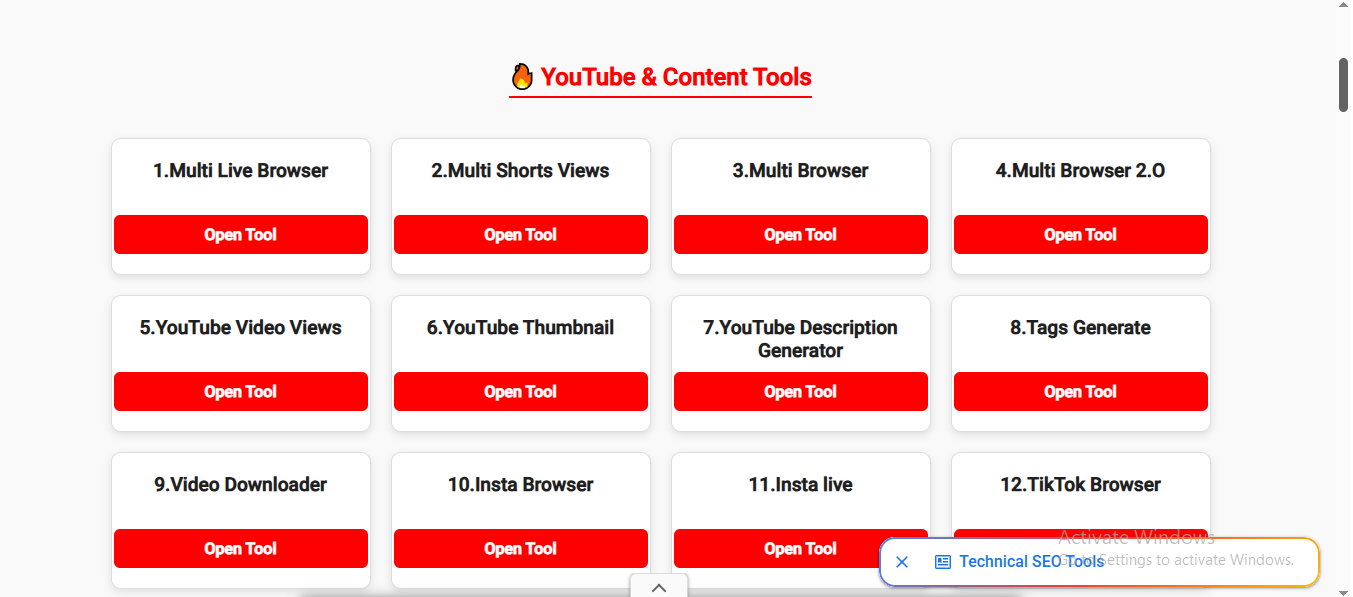
PooreYouTuber ek free online tools website hai jahan creators aur normal internet users ke liye different types ke utilities available hain. Website ko open karne ke baad users ko tools ki categories milti hain, jisme YouTube & Content Tools aur PDF, Image & Web Utilities jaise sections included hain.
YouTube creators ke liye website par YouTube thumbnail, description generator, tags generator, YouTube audit aur keyword-related tools available hain. Iske alawa Instagram, TikTok, Facebook, Twitch aur Bilibili se related browser-based tools bhi listed hain.
Is website ki ek interesting baat ye hai ki iska use sirf YouTubers tak limited nahi hai. Agar kisi ko image compress karni ho, photo ko PDF mein convert karna ho, PDF merge ya crop karni ho, text ko Word document mein convert karna ho ya EMI calculate karni ho, to uske liye bhi tools available hain.
YouTube Creators Ke Liye Useful Tools
Agar aap YouTube channel chala rahe hain, to content create karne ke saath optimization bhi important hoti hai. PooreYouTuber ka YouTube section isi tarah ke everyday creator tasks ko easier banane ki koshish karta hai.
1. YouTube Thumbnail Tool
Thumbnail kisi bhi YouTube video ka important part hota hai. Video search karte waqt viewer ko sabse pehle title aur thumbnail hi दिखाई देता है.
PooreYouTuber par YouTube Thumbnail tool available hai, jiska purpose creators ko thumbnail-related workflow mein help karna hai.
Ek simple aur clear thumbnail viewer ko ye samajhne mein help kar sakta hai ki video kis topic par hai. Isliye thumbnail design karte waqt unnecessary text bharne ke bajay clear message aur readable design rakhna better hota hai.
2. YouTube Description Generator
Har video ke liye description likhna kabhi-kabhi boring aur time-consuming ho sakta hai, especially jab creator regularly videos upload karta ho.
PooreYouTuber par YouTube Description Generator available hai. Tool ka idea ye hai ki creator apne video topic ke according description prepare kar sake aur metadata workflow ko thoda easier bana sake.
Description mein video ke topic ko naturally explain karna, useful information dena aur relevant keywords ka sensible use karna important hai. Sirf keywords bhar dene se achha hai ki description viewer ke liye genuinely useful ho.
3. Tags Generator
YouTube par video upload karte waqt tags bhi creators ke workflow ka ek part ho sakte hain. PooreYouTuber mein Tags Generate tool bhi listed hai.
Agar aapko kisi topic ke related keywords ya tags organize karne mein difficulty hoti hai, to aisa tool brainstorming mein help kar sakta hai. However, creator ko generated tags ko blindly copy karne ke bajay apne actual video topic ke according check karna chahiye.
4. YouTube Audit
Channel ko grow karne ke liye sirf videos upload karna enough nahi hota. Creator ko ye bhi dekhna padta hai ki channel mein kya improve kiya ja sakta hai.
PooreYouTuber ke tools list mein YouTube Audit bhi included hai.
Audit-type tools creators ko apne channel ya content ke different aspects ko review karne mein useful ho sakte hain. Isse creator ko apne content strategy par dobara sochne ka opportunity milta hai.
Website SEO Ke Liye Website Audit
PooreYouTuber par Website Audit tool bhi available hai. Ye tool actually Google PageSpeed Insights ki taraf ek shortcut/bridge ki tarah kaam karta hai. User URL enter karta hai aur tool Google ke PageSpeed Insights report ki taraf route karta hai. Website clearly explain karti hai ki performance scores aur recommendations Google ke infrastructure se generate hote hain, PooreYouTuber ke apne crawler se nahi.
Ye beginners ke liye useful ho sakta hai jo apni website ki performance check karna chahte hain aur PageSpeed Insights tak quickly pahunchna chahte hain.
Website speed important hai kyunki slow-loading website visitors ke experience ko affect kar sakti hai. Isliye website owner ko regularly performance check karna aur unnecessary heavy files ko optimize karna chahiye.
Image Aur PDF Tools
PooreYouTuber ki ek strong category YouTube ke bahar bhi useful hai. Website par image aur PDF se related multiple tools available hain.
Is category mein Image Converter, Image Compressor, Photo to PDF, PDF Compress, PDF Crop, PDF Merge aur Video to Image jaise tools listed hain.
For example, agar kisi student ko multiple photos ko ek PDF mein convert karna hai, to Photo to PDF tool useful ho sakta hai. Agar kisi document ka size email ya online submission ke liye bahut bada hai, to PDF compression ka option kaam aa sakta hai.
Similarly, Image Compressor ka use website images, social media uploads ya email attachments ke size ko reduce karne ke liye kiya ja sakta hai.
Website ke Image Compressor page ke according, image processing browser ke andar client-side hoti hai, aur tool account ya login ke bina use kiya ja sakta hai.
Text To Handwriting Tool
Students ke liye Text To Handwriting type ka tool bhi interesting ho sakta hai. PooreYouTuber ke main tools section mein Text To Handwriting listed hai.
Agar kisi ko digital text ko handwritten-style format mein convert karke dekhna hai, to aisa utility tool useful ho sakta hai. However, students ko iska use learning aur presentation purposes ke liye responsibly karna chahiye.
Text To Word Document
Kabhi-kabhi phone mein notes ya plain text hota hai aur humein usko Word document mein convert karna hota hai. PooreYouTuber par Text to Doc Converter isi type ke task ke liye available hai.
Tool mein user text type ya paste kar sakta hai, ya plain text file upload karke Word document generate kar sakta hai.
Ye students, teachers, writers aur office users ke liye useful ho sakta hai, especially jab kisi raw text ko proper document format mein convert karna ho.
ZIP Converter
Multiple files ko ek saath share karna ho to ZIP file convenient hoti hai. PooreYouTuber par Text & File to ZIP Converter bhi available hai.
Is tool ke through text notes aur different files ko ek ZIP archive mein combine kiya ja sakta hai. Website ke tool page ke according, images, PDFs, MP3 files aur videos jaise files ko archive mein add kiya ja sakta hai.
Ye feature tab particularly useful ho sakta hai jab kisi ko multiple files ek hi package mein send karni ho.
Social Media Aur Multi-Browser Tools
PooreYouTuber par Instagram, TikTok, Facebook, Twitch aur Bilibili ke liye bhi different browser-based tools listed hain.
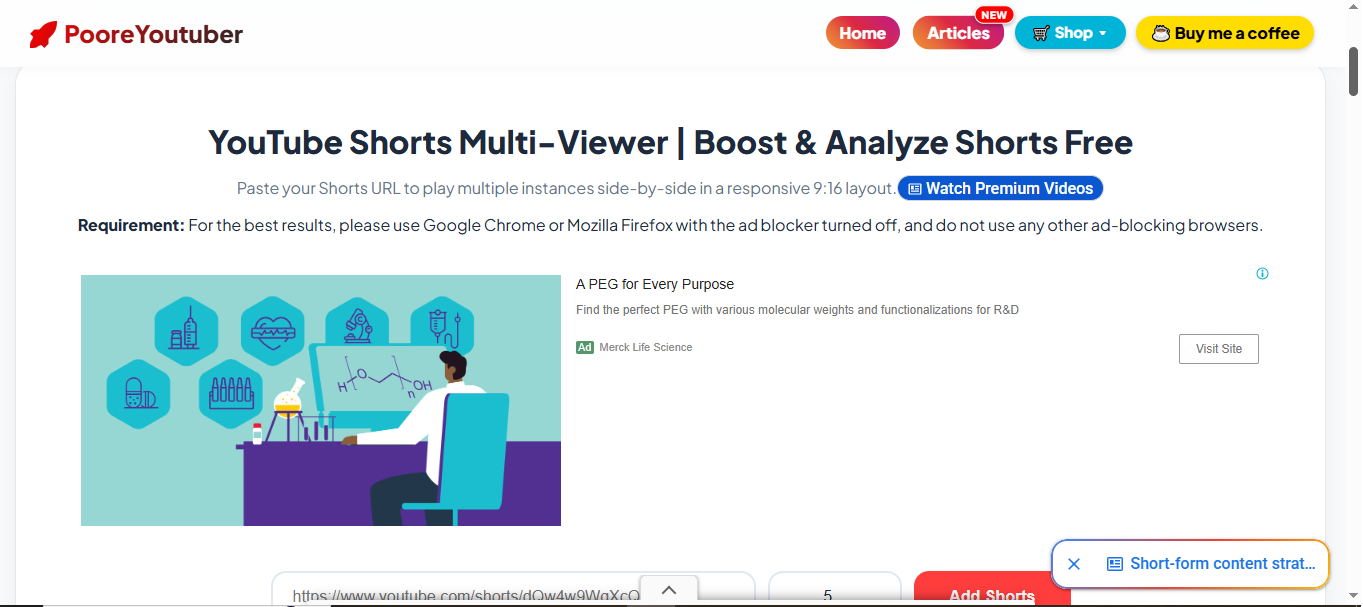
For example, Twitch Multi-Browser Viewer users ko multiple Twitch streams ko side-by-side browser layout mein preview karne deta hai. Tool page ke according, user channel URL ya username enter karke multiple panels create kar sakta hai.
Isi tarah Bilibili ke liye bhi multi-viewer tool available hai, jisme multiple video slots ko ek responsive grid mein preview karne ka option diya gaya hai.
Aise tools content creators ke liye visual comparison, testing aur presentation workflow mein useful ho sakte hain.
Privacy Aur No-Signup Approach
Aajkal online tools use karte waqt privacy ek important concern hai. Har website par account banana ya personal information enter karna users ko comfortable nahi lagta.
PooreYouTuber apni homepage par privacy-first approach ko highlight karta hai. Website ke according, platform accounts, sign-ups aur personal records collect karne par focus nahi karta, aur many processing tasks browser ke andar run karne ke liye designed hain.
Phir bhi, kisi bhi third-party website ko use karte waqt users ko sensitive information enter karne se pehle privacy policy aur tool ka actual working method check kar lena chahiye.
Mobile Users Ke Liye Bhi Convenient
Aaj majority users smartphones se internet access karte hain. Isliye online tools ka mobile-friendly hona kaafi important hai.
PooreYouTuber apne tools ko fast, simple aur mobile-friendly banane par focus karta hai. Website ka purpose bhi technical knowledge ke bina common digital tasks ko easier banana hai.
Agar aap student hain, content creator hain, teacher hain ya simply internet par different files ke saath kaam karte hain, to ek single website par multiple utilities available hona convenient ho sakta hai.
Kya PooreYouTuber Beginners Ke Liye Useful Hai?
Mere hisaab se beginners ke liye iska biggest advantage simplicity hai.
Har user technical SEO, image compression, file conversion ya YouTube metadata ko deeply understand nahi karta. Aise users ke liye ready-to-use online utilities time save kar sakti hain.
For example, ek beginner creator ko thumbnail download karna ho, description prepare karni ho, tags generate karne ho ya channel audit karna ho, to usse har task ke liye alag tool search karne ki zarurat kam ho sakti hai.
Lekin tools ko shortcut samajhne ke bajay support system ki tarah use karna better hai. YouTube growth ka main factor hamesha useful content, consistency, audience understanding aur genuine engagement hi hona chahiye.
Responsible Use Karna Zaroori Hai
PooreYouTuber par kuch tools social media views, live content aur multi-browser workflows se related hain. Aise tools ko use karte waqt users ko respective platforms ke rules aur terms ko dhyan mein rakhna chahiye.
Website khud bhi users ko third-party platform guidelines follow karne aur tools ko manual testing, educational presentation aur performance checking purposes ke liye use karne ki guidance deti hai.
Kisi bhi tool se guaranteed views, subscribers, earnings ya instant channel growth expect karna realistic nahi hai. Creator ki long-term growth ke liye original content aur genuine audience sabse important hai.
Final Thoughts
Overall, PooreYouTuber ek aisi website hai jo YouTube creators aur general internet users ke liye multiple free utilities ko ek place par bring karne ki koshish karti hai.
YouTube thumbnail, description, tags, audit aur keyword tools se lekar image compressor, PDF tools, text converter, ZIP converter, calculators aur social media browser utilities tak, website par kaafi different categories cover ki gayi hain.
Is website ki sabse useful baat ye hai ki users ko everyday digital tasks ke liye bahut saare separate websites search nahi karne padte. Simple interface aur no-signup approach ise beginners ke liye bhi accessible banati hai.
Agar aap YouTube creator hain aur apne daily workflow ko thoda simple banana chahte hain, ya aapko regularly images, PDFs, documents aur online utilities ki zarurat padti hai, to PooreYouTuber ko ek baar explore kiya ja sakta hai.
Sabse important baat ye hai ki kisi bhi online tool ko blindly use karne ke bajay uska purpose samjhein, platform guidelines follow karein aur apni personal information ko protect rakhein.