
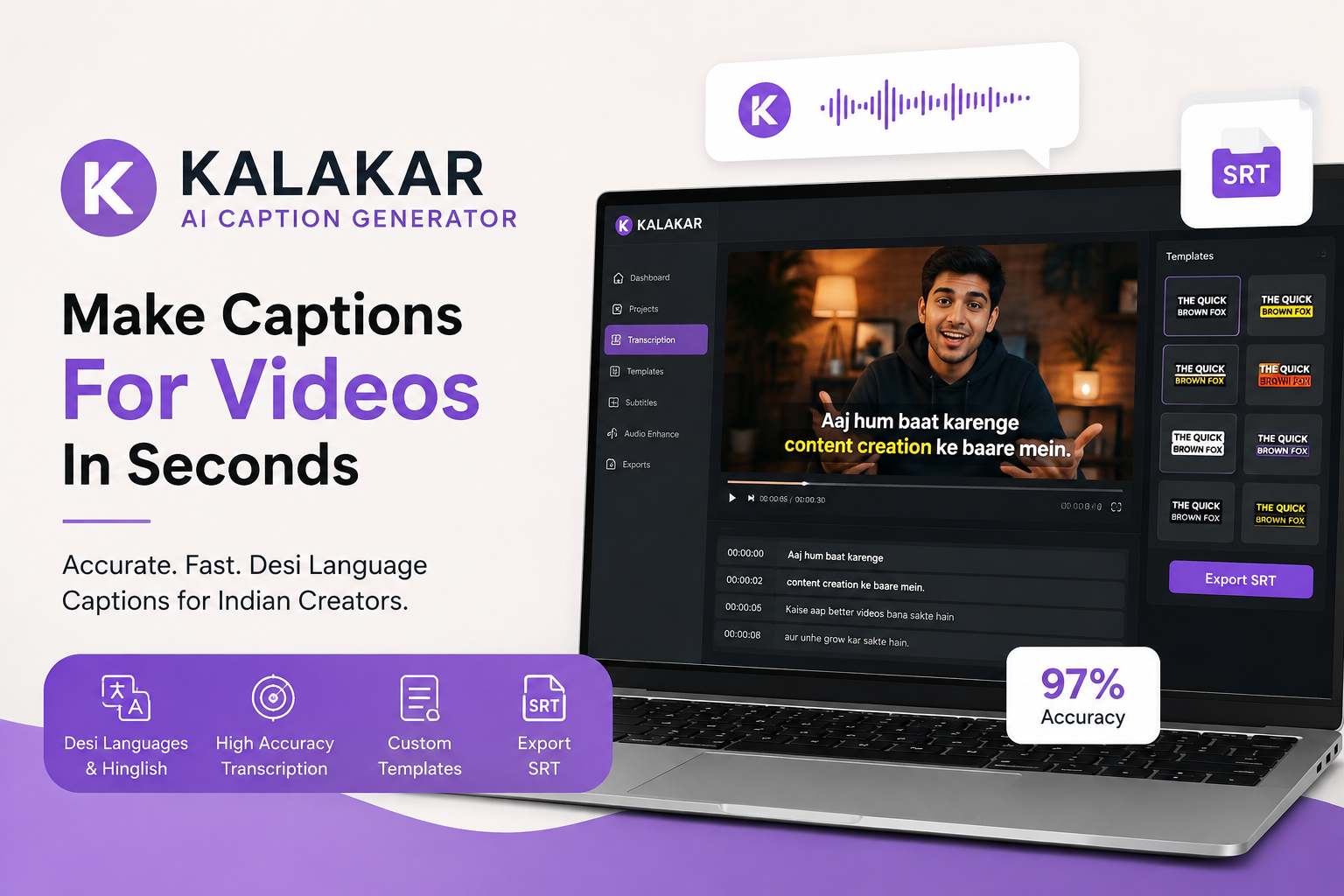
Aajkal Instagram Reel ya YouTube Short banana jitna common ho gaya hai, utna hi important ho gaya hai ki video mein captions bhi sahi dikhai dein. Aur agar video Hindi, Hinglish ya kisi aur Indian language mein hai, to problem thodi aur interesting ho jaati hai.
English captions ke liye tools ki kami nahi hai. Lekin jab koi creator naturally Hindi aur English ko mix karke bolta hai—jaise hum daily conversation mein karte hain—tab transcription mein chhoti-chhoti galtiyan kaafi irritating ho sakti hain.
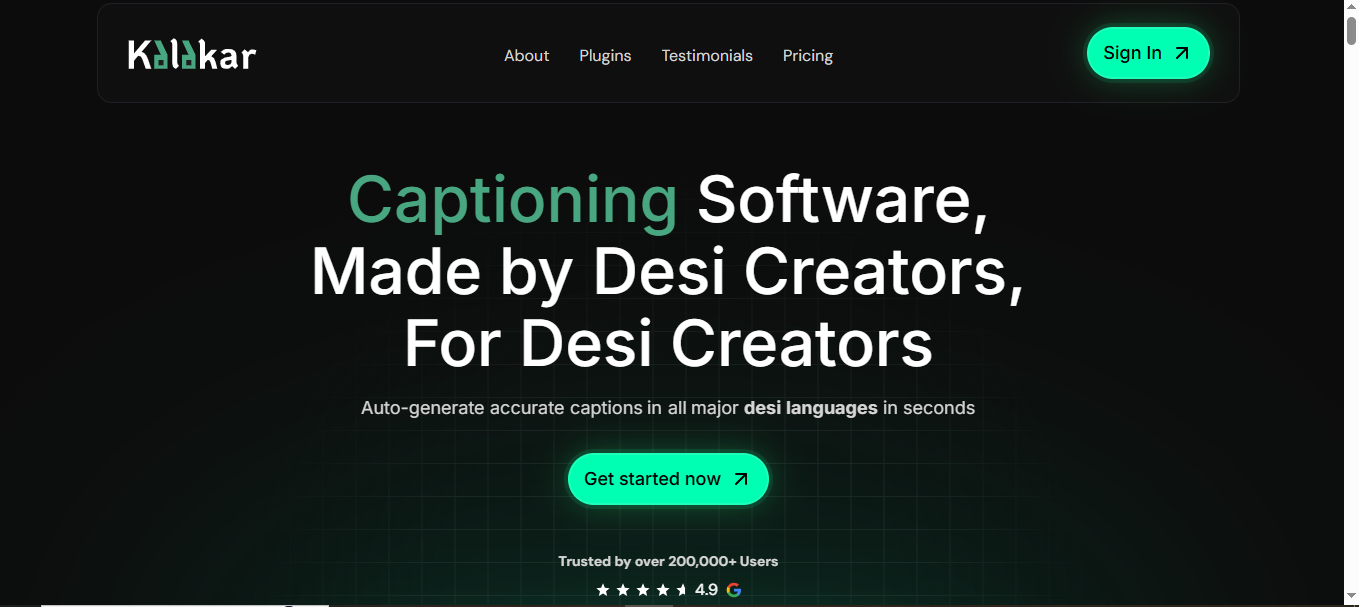
Isi gap ko target karne wale tools mein Kalakar ek interesting option hai. Platform apne aap ko “Desi Creators” ke liye banaya gaya captioning software batata hai. Iska focus major desi languages mein captions generate karna, unhe customise karna aur video-editing workflow ke saath use karna hai. Official website ke mutabik platform ke 100,000+ users hain aur ye creators ke liye transcription, caption templates, audio enhancement aur editing plugins jaise features offer karta hai.
Kalaka.ai Ya Kalakar?
Sabse pehle naam ko lekar ek chhoti si clarification zaroori hai. Kyunki isi point par sabse zyada confusion ho sakti hai.
Online search mein “Kalaka.ai” ke naam se mujhe koi reliably verified official website nahi mili. Search results mein jo relevant platform mila, uska naam Kalakar.io hai. Isliye agar aap jis tool ki baat kar rahe hain woh Kalakar hai, to uski official website par available information ke basis par ye article likha gaya hai.
Agar aap kisi alag “Kalaka.ai” platform ki baat kar rahe hain, to uska exact URL check karna important hoga. Naam similar hone ki wajah se kisi doosri company ki information ko Kalaka.ai ke naam se publish karna misleading ho sakta hai.
Kalakar Kya Karta Hai?
Toh Kalakar ka main focus video captioning aur transcription hai.
Simple example se samajhiye. Aapne ek Reel shoot ki jisme aap Hindi aur English mix karke bol rahe hain. Traditional workflow mein pehle video sunna, phir dialogue type karna, timing set karna aur captions ko video ke saath sync karna pad sakta hai.
Ye kaam ek chhoti Reel ke liye manageable hai. Lekin agar aap har din multiple videos bana rahe hain, to manual captioning boring bhi ho sakti hai aur time bhi kha sakti hai.
Kalakar isi process ko automate karne ki koshish karta hai. Official website ke according, platform major desi languages mein captions automatically generate kar sakta hai aur transcription accuracy “up to 97%” tak claim karta hai.
Yahan “up to” ko samajhna important hai. Real-world accuracy audio quality, accent, background noise aur speaker ke bolne ke style par depend karegi.
Indian Creators Ke Liye Iska Idea Interesting Kyun Hai?
India mein ek normal conversation ko dekhiye.
“Bhai, kal shoot karte hain. I think location change karni chahiye.”
Ye na completely Hindi hai, na completely English. Ye normal Hinglish hai.
Problem ye hai ki kai automatic transcription tools aisi speech ko perfectly understand nahi kar paate. Kabhi Hindi word ka English version aa jata hai, kabhi sentence ka meaning change ho jata hai.
Kalakar ka pitch isi practical problem ke around hai. Platform specifically desi creators aur desi languages ko target karta hai. Website par creator examples bhi diye gaye hain aur bataya gaya hai ki platform South Asian creator community ke feedback ke saath develop hua.
Ye approach interesting hai kyunki tool sirf “AI transcription” kehne ke bajay Indian content creation ke actual workflow ko address karne ki koshish kar raha hai.
Caption Templates Ka Option
Har creator captions ko ek hi style mein nahi rakhna chahta.
Kisi ko simple subtitles pasand hain. Kisi ko bold words chahiye. Kisi ko screen par animated captions pasand hain.
Kalakar ki official website ke mutabik platform mein dozens of customizable templates available hain, jo different desi languages ke content ke liye use kiye ja sakte hain.
Ye feature especially short-form content creators ke liye useful ho sakta hai.
Aajkal Reels aur Shorts mein captions sirf accessibility ke liye nahi lagaye jaate. Captions khud video ke visual style ka part ban gaye hain.
Ek talking-head video ko basic subtitles ke saath ek look milta hai, jabki highlighted words aur animations ke saath wahi video much more dynamic lag sakta hai.
Premiere Pro Aur DaVinci Resolve Integration
Agar aap professional video editor hain, to browser mein captions banana aur phir manually editing software mein transfer karna extra step ban sakta hai.
Kalakar yahan thoda different approach leta hai.
Platform official website par Adobe Premiere Pro aur DaVinci Resolve plugins offer karne ki baat karta hai. Website ke according plugins Windows aur macOS par available hain, aur DaVinci Resolve ke free version ke saath bhi kaam karte hain.
Professional editors ke liye ye feature potentially kaafi useful hai, kyunki captioning ko existing editing workflow ke andar rakhna easier ho sakta hai.
SRT Export Bhi Available Hai
Har editor captions ko video ke andar permanently burn nahi karna chahta.
Kabhi client ko separate subtitle file chahiye hoti hai. Kabhi YouTube ya kisi doosre platform ke liye SRT file upload karni hoti hai.
Kalakar SRT export support karta hai. Website ke mutabik captions ko SRT ya alpha channel ke form mein export kiya ja sakta hai.
Ye chhota feature lag sakta hai, lekin professional workflow mein iska kaafi practical use hai.
Audio Enhancement Feature
Kalakar sirf captions tak limited nahi hai.
Platform studio-grade audio enhancement ka feature bhi advertise karta hai. Website ke according, iska audio enhancement system traffic, white noise, crowd noise, hiss aur doosre background noise patterns jaise situations ke liye test kiya gaya hai.
Ye feature un creators ke liye interesting ho sakta hai jo studio mein recording nahi karte.
Aaj bahut saare creators ghar, office, cafe ya outdoor location se shoot karte hain. Har jagah perfect audio environment milna practically possible nahi hai.
Agar ek tool transcription ke saath audio cleanup bhi provide kare, to creator ko alag tools ke beech switch karne ki zaroorat kam ho sakti hai.
Kalakar Ki Pricing Kitni Hai?
Official website par currently multiple plans listed hain.
Free plan $0 per month se start hota hai. Editor plan $6.99 per month, Creator plan $9.99 per month aur Studio plan $24.99 per month listed hain. Website yearly billing par savings ka option bhi show karti hai.
Creator plan ko website “Most Popular” ke naam se show karti hai. Is plan mein 5 hours of transcription, 60 GB cloud storage, 4K/60 FPS rendering, up to 5-minute video length, unlimited audio enhancement aur subtitles export jaise features listed hain.
Studio plan higher-volume users ke liye hai. Ismein 12 hours transcription, 150 GB storage, up to 30-minute video length, alpha channel render, translation hours aur team members add karne ka option listed hai.
Pricing change ho sakti hai, isliye purchase karne se pehle official pricing page check karna sensible rahega.
Kya Kalakar Beginners Ke Liye Hai?
Haan, iska use beginner creators bhi kar sakte hain, lekin iska real value aapke workflow par depend karega.
Agar aap mahine mein sirf ek video upload karte hain, to advanced captioning software ki zaroorat shayad utni feel na ho.
Lekin agar aap regularly Reels, Shorts ya YouTube videos bana rahe hain, to automated transcription aur ready-made templates ka benefit noticeable ho sakta hai.
Professional editors ke liye Premiere Pro aur DaVinci Resolve plugins isse aur relevant bana dete hain.
Kalakar Ke Pros Aur Cons
Kisi bhi software ko sirf features ki list dekhkar judge karna sahi nahi hota.
Pros ki baat karein to:
- Desi languages aur Hinglish par focus
- Automatic transcription
- Caption templates
- SRT export
- Premiere Pro aur DaVinci Resolve plugins
- Audio enhancement
- Multiple pricing plans
- Free plan available
Ye features official website par listed hain.
Cons ki baat karein to, AI transcription ko 100% perfect assume nahi karna chahiye. Background noise, unusual pronunciation, fast speech ya mixed-language conversation mein manual correction ki zaroorat pad sakti hai.
Pricing bhi har creator ke budget ke liye equally suitable nahi hogi. Agar aap occasional creator hain, free plan pehle test karna better approach ho sakta hai.
Frequently Asked Questions
Kalaka.ai kya hai?
Agar aap Kalakar.io ki baat kar rahe hain, to ye AI-powered captioning aur transcription platform hai jo desi creators ke liye video captions generate karne par focus karta hai.
Kalakar kin languages ke liye bana hai?
Platform major desi languages mein captions generate karne ka claim karta hai. Exact supported languages aur current availability ke liye official platform ko check karna best rahega.
Kya Kalakar Hinglish captions bana sakta hai?
Haan, platform apne creator examples mein Hinglish captions ko specifically highlight karta hai.
Kya Kalakar free hai?
Haan. Official website par Free plan listed hai. Paid plans bhi available hain, jo currently $6.99/month se start hote dikh rahe hain.
Kya Kalakar Premiere Pro ke saath kaam karta hai?
Haan. Official website ke mutabik Kalakar ke Premiere Pro aur DaVinci Resolve plugins available hain.
Kya captions SRT format mein export kar sakte hain?
Haan, SRT export supported hai. Platform alpha channel export ka option bhi advertise karta hai.
Kya Kalakar audio noise remove kar sakta hai?
Platform studio-grade audio enhancement feature offer karta hai, jise different background-noise situations ke liye designed bataya gaya hai.
Kalakar kis type ke users ke liye best ho sakta hai?
Regular Reel creators, YouTubers, short-form video editors, social media teams aur professional editors is type ke workflow se sabse zyada benefit le sakte hain.
Final Thoughts
AI tools ki duniya mein ek common problem ye hai ki bahut saare products ek hi cheez ko thoda different naam se sell karte hain. Kalakar ka approach comparatively clear hai: Indian creators ke liye captioning aur transcription ko better banana.
Iska desi languages aur Hinglish par focus isse interesting banata hai. Saath mein templates, SRT export, audio enhancement aur professional editing software plugins jaise features ise sirf ek basic transcription tool se thoda aage le jaate hain.
Lekin tool choose karne ka best tareeka simple hai—pehle apne actual videos ke saath test kijiye.
Aapki language, accent aur background noise ke saath transcription kitni accurate aa rahi hai? Captions edit karne mein kitna time lag raha hai? Templates aapke content style ke kaam aa rahe hain ya nahi?
In questions ke answers kisi bhi feature list se zyada useful honge.
Aur agar aap regular content creator hain, to ek cheez almost certain hai: captioning mein bachaya gaya har minute eventually next video banane mein lagaya ja sakta hai. Isi jagah AI captioning tools ka real value samajh aata hai.
Official website: Kalakar.io